Every birthday, bill and builder. All tidy.
Tidy Polar turns the busy bits of life into projects. Each project keeps its emails, to-dos, documents, people and dates in one place. Claude sorts your inbox, drafts your replies and checks them before you send.
Works on any computer and on iPhone. Nothing is ever sent without you.
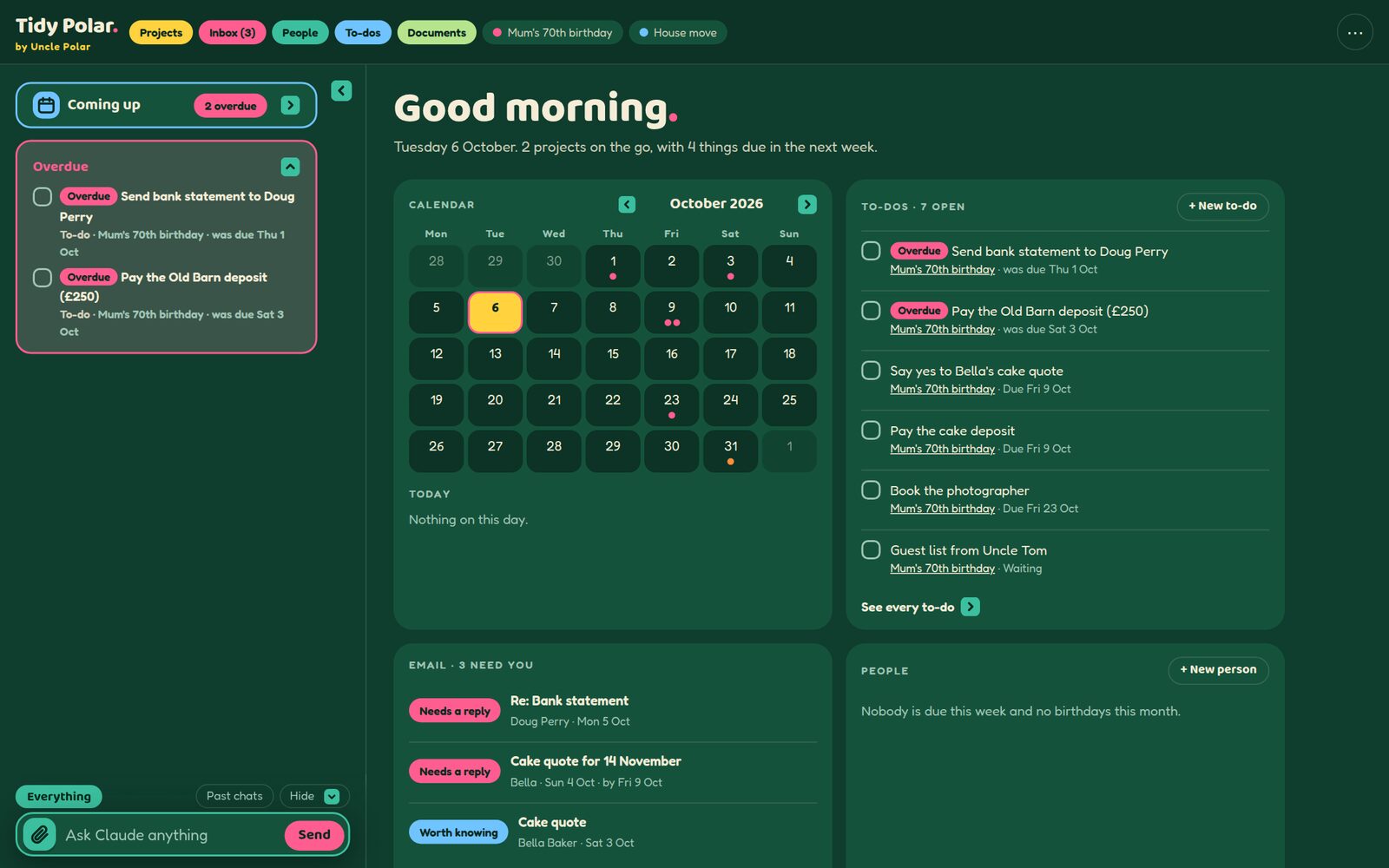
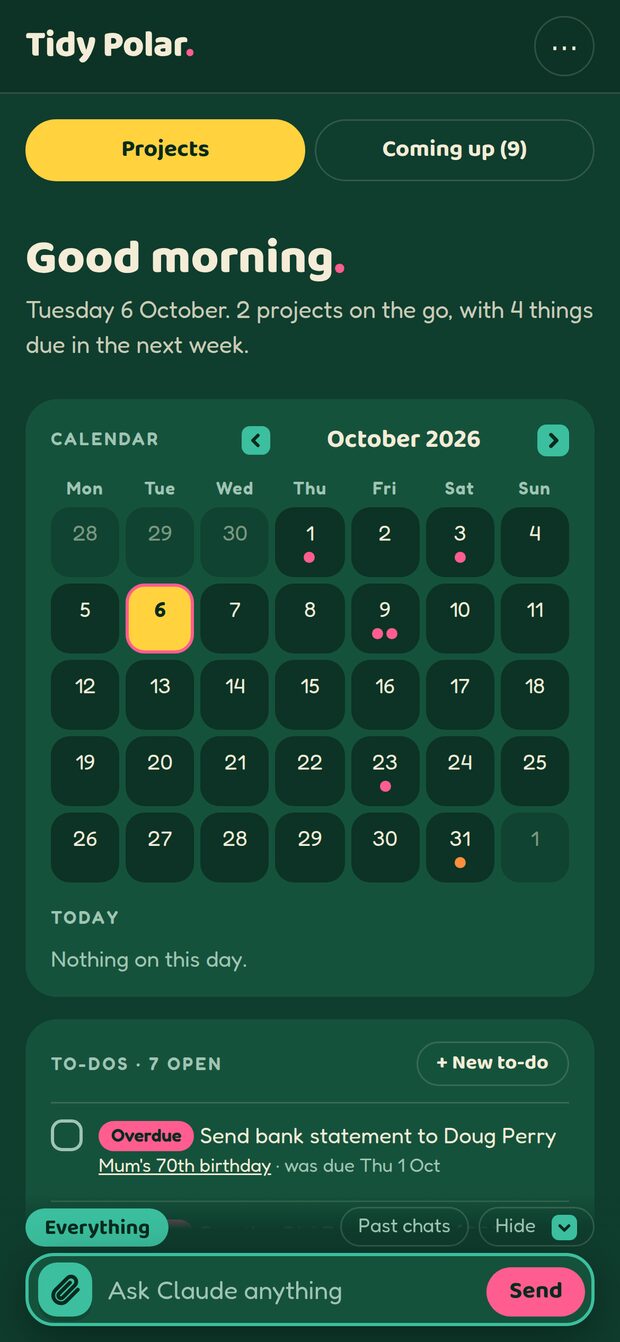
Three steps to a tidy life
Start a project
Anything with a life of its own. A 70th birthday, a house move, a kitchen refit or a summer in Asturias.
Drop things in
File emails from Gmail, upload documents, add notes and dates. Attachments come along on their own.
Let Claude help
Ask for an update, a plan or a reply. Claude reads the whole project first. Every change has Undo.
Stop hunting. Start finding.
The cake quote is in an email from three weeks ago. The deposit receipt is somewhere in Downloads. The guest list is in a WhatsApp chat and the venue's number is on a sticky note on the fridge. A Tidy Polar project keeps every email, document, note, to-do, person and date for one thing in one place. Open the project and everything is there.
Seven places to look. And the one you need is always in the eighth.
- @EmailsFiled with their attachments6
- DDocumentsQuotes, receipts and the booking4
- TTo-dosTwo due this week7
- PPeopleBella, Tom, the Old Barn5
- NNotesIdeas, menus and the seating plan3
- 14DatesThe party is on Saturday 14 November9
An example project.
Find anything in seconds
Ask a project a question in plain words and get the answer, with the email or document it came from.
What did the Old Barn say about parking?
Claude knows the whole story
Ask for an update or a reply and Claude reads every email, note and document in the project first.
Give me a Project Update
Emails find their project
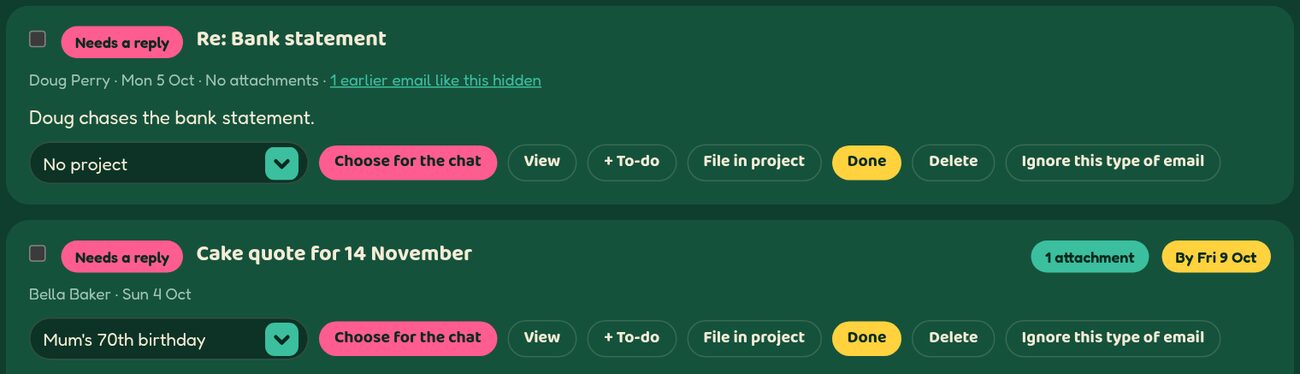
Every new email comes with a suggested project. One tap files the email, attachments and all.
File in Mum's 70th birthday
Big jobs, split up
A house move becomes the mortgage, the removals and the solicitor. Each part is tidy. The whole stays in view.
House move › Removals
One project. One page.
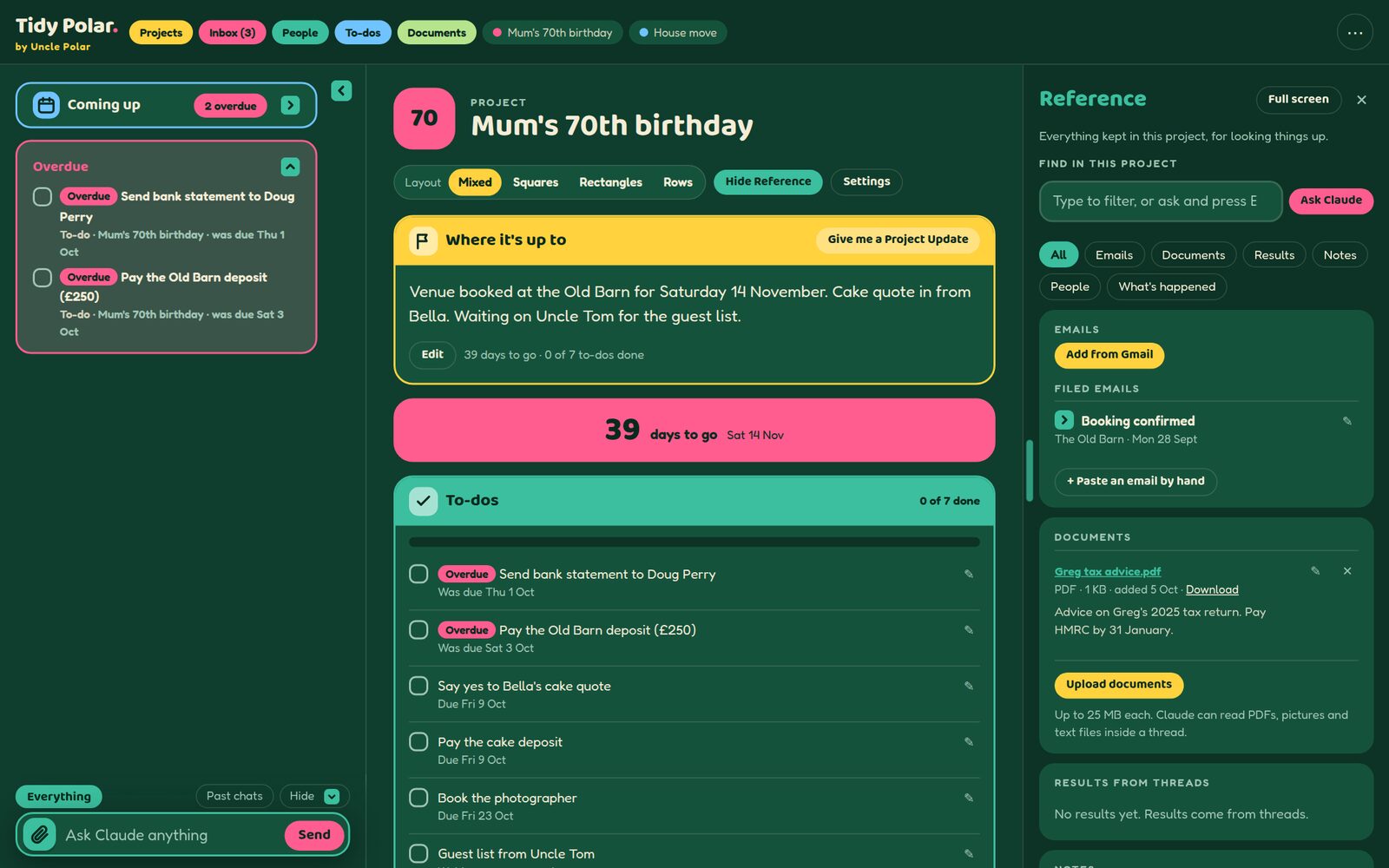
Open a project and see where things stand at a glance. Bright tiles for what needs doing now. A Reference panel for everything else.
- Where it's up to. One or two lines. Claude keeps the lines fresh.
- Days to go. A big countdown to the day.
- To-dos, emails, documents and notes. Each in a tile of its own colour.
- Sub-projects. Split a house move into the mortgage, the removals and the solicitor.
An inbox that sorts itself
Claude reads each new email and decides what the email needs. A one-line summary, the actions, any deadline and the project the email belongs to.
- Draft replies in your voice. The draft waits in Tidy Polar until you say "I'm happy".
- Ignore the noise. Newsletters and alerts you never read stay out of the way.
- Search in plain words. "Fennie bills since June" finds the right emails.
Check before you send
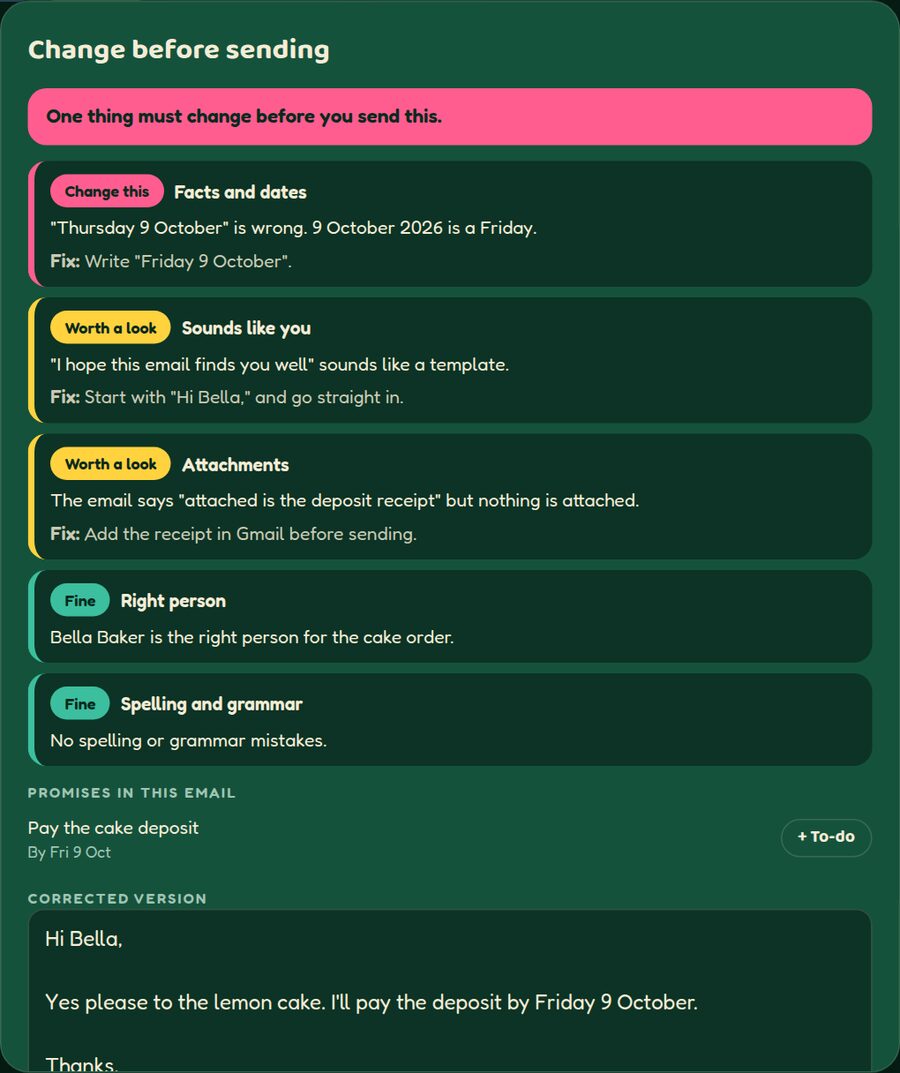
Press "Check before sending" and Claude reads the email alongside the whole conversation, the project's notes and documents and the dates coming up. Each point comes back pink, yellow or mint, with a fix and a corrected version.
Keep in touch without trying
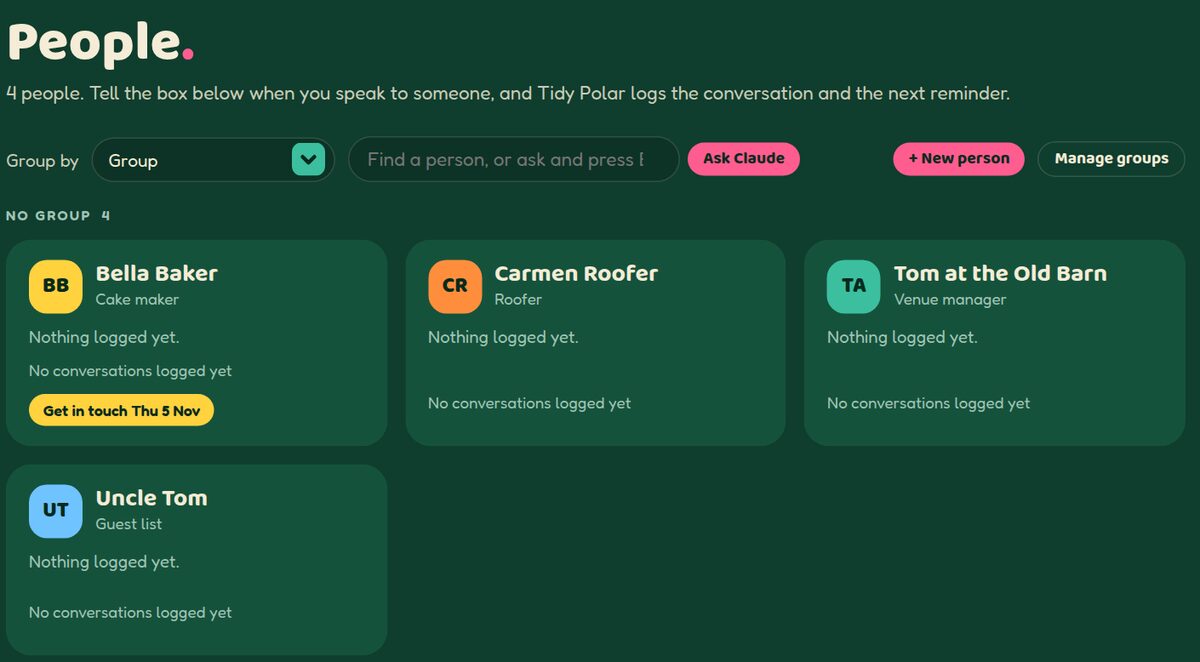
A card for everyone who matters. Birthdays, where things stand, how often to get in touch and every conversation, all on one card.
- Gentle reminders. Every week, every month or once a year.
- Birthdays. Shown 30 days ahead, with the age when the year is known.
- WhatsApp and email drafts. Claude writes the message. You press send.
Just say it. Claude files it.
One box sits in the same place on every screen. Ask a question and get an answer. Ask for a change and Claude makes the change, then lists what was done. Undo puts everything back.
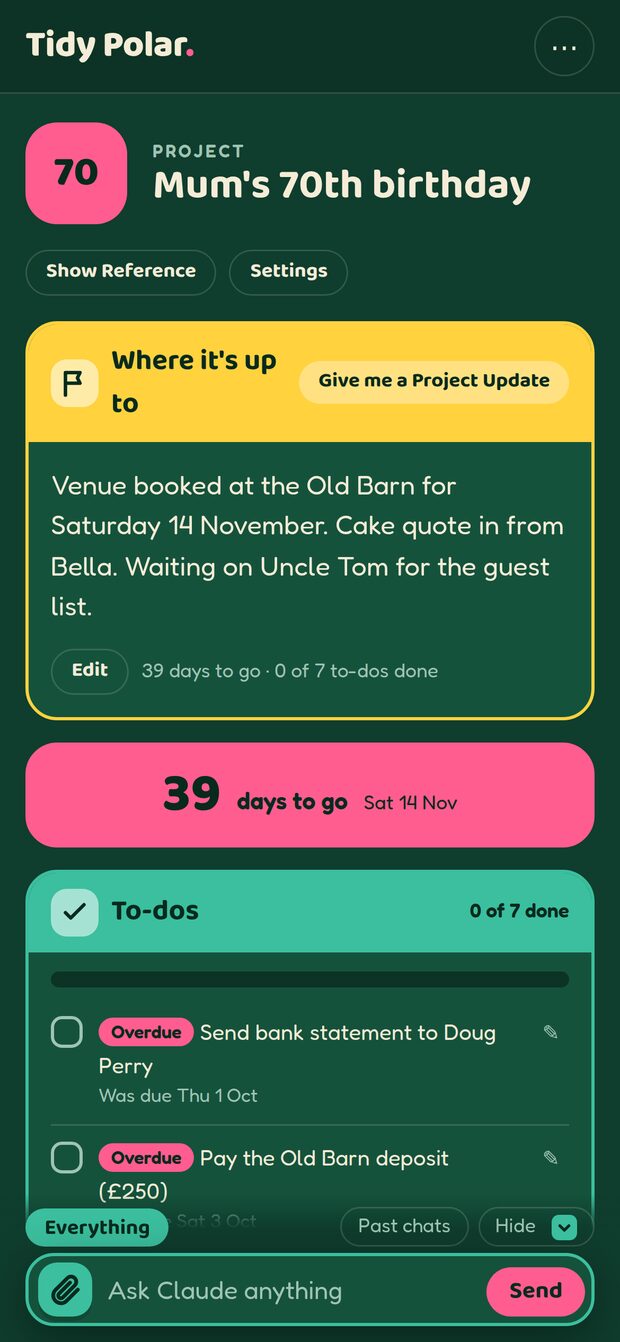
In your pocket. Like an app.
Add Tidy Polar to your iPhone home screen and Tidy Polar opens like any other app. Tick off a to-do in the queue at the bakery. Ask Claude about the Old Barn booking on the train.
Answers arrive in the background, so a locked screen never loses a reply.
Seven flavours. Nine views.
Choose a colour skin, or a nature photo behind frosted panels. Every device shows the same choice. Tap a flavour to try it.





The bear's promises
- Tidy Polar never sends an email. You always press send yourself, in Gmail.
- Nothing goes to Gmail Drafts until you press "I'm happy" and confirm.
- Delete only moves an email to the Gmail Bin, after you confirm.
- Your things are yours. Nobody else can see your projects, people or email.
- Weekly backups go to your own Google Drive, in folders you can read without Tidy Polar.
- Gmail passwords are locked away. Claude never sees them.
Ready for a tidier life?
Tidy Polar is invitation only for now. Leave your name and email and the bear will be in touch.